Organize everything
you save on X.
X is where you find great ideas. Savory is where you keep them: a free bookmark manager for X (Twitter) that adds tags, folders and notes the moment you bookmark, then finds anything in milliseconds.
Free · No account · No API keys · Your library stays in your browser · See what's new in 2.9

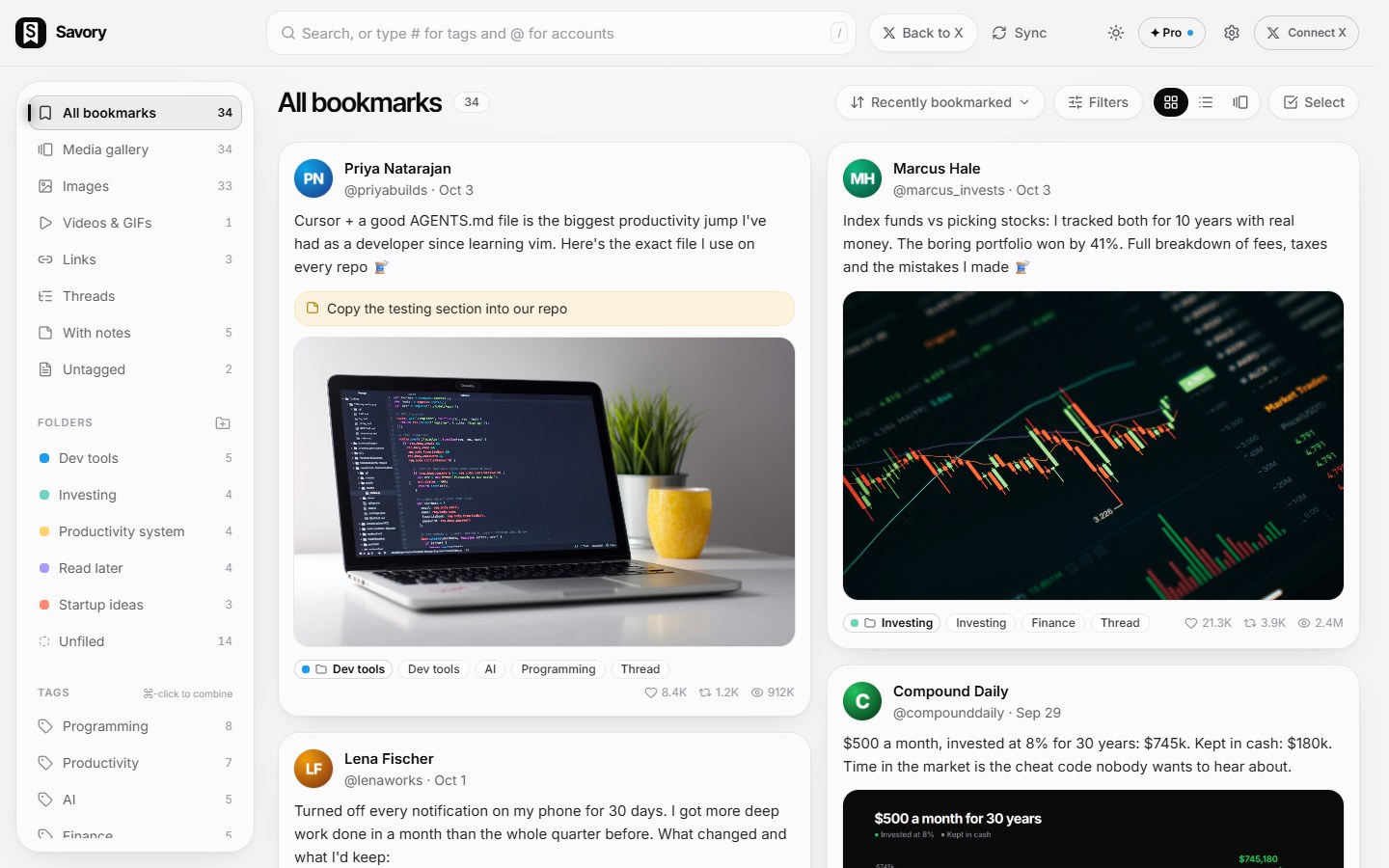
Everything you save on X, organized in one place
X bookmarks are where good ideas go to disappear
You save threads, tools and insights every day. A week later they're buried, and X gives you no way to dig them out.
One endless, unsearchable list
Instant full-text search across posts, links, people, tags and your notes
No way to organize
Folders, tags and smart filters, applied as you save
You forget why you saved it
A note on every bookmark, so context is never lost
Save with context, the moment you bookmark
Hit bookmark on any post and a small Savory panel appears right there. Add a tag, drop it in a folder, jot a note, press ⌘↵. Done, without leaving X.
- ✓Tag suggestions from your library as you type
- ✓Pick a folder or create one on the spot
- ✓Built into X's own bookmark button: nothing extra to click
- ✓A Savory link in X's sidebar opens your library in one click
- ✓Prefer it silent? Turn the panel off and bookmarks still save automatically

Index funds vs picking stocks: I tracked both for 10 years with real money. The boring portfolio won by 41%. Full breakdown below 🧵

Folders for structure. Notes for meaning.
Tags say what a post is about. Folders say what it's for. Notes say why it matters to you.
Folders
Group bookmarks by project, purpose or mood. Colour-code them, move dozens at once, and browse a folder like a playlist.
 Lena Fischer @lenaworks
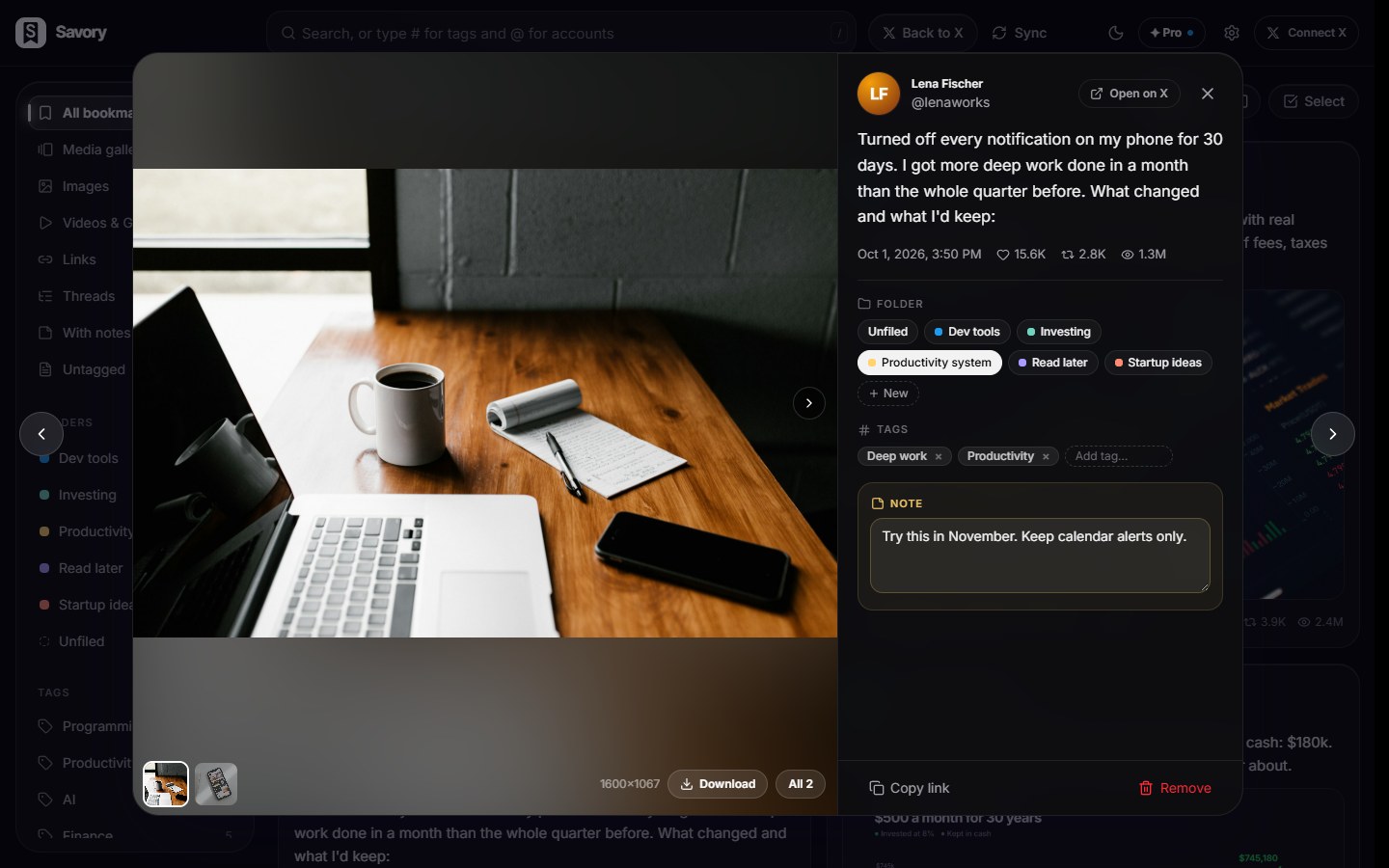
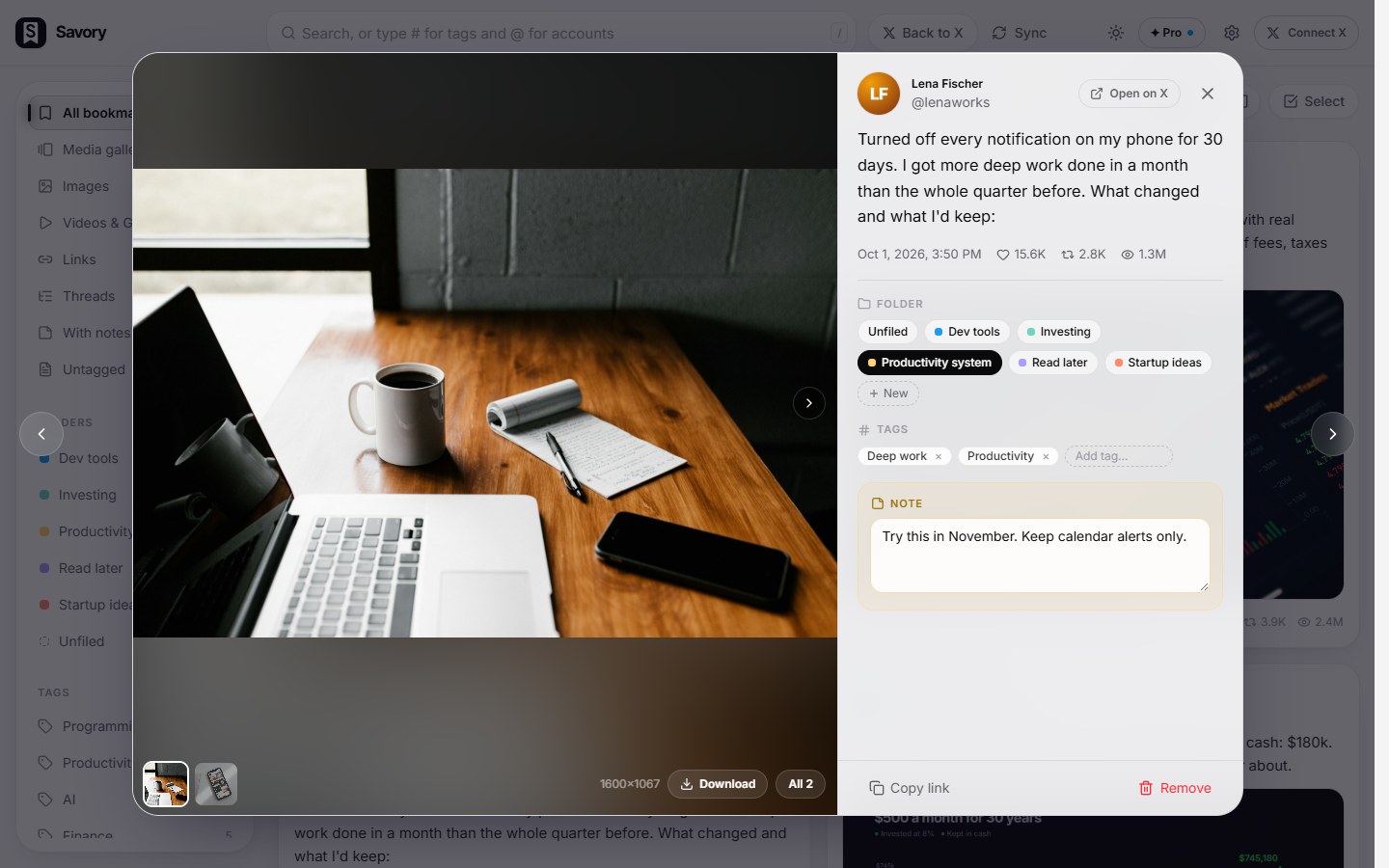
Turned off every notification on my phone for 30 days. I got more deep work done in a month than the whole quarter before.

Notes
Write why you saved something, what to do with it, or what you thought. Notes are searchable, so future you finds them by meaning.
Never lose a saved post. Never forget one either.
Your copy stays when a post disappears from X, threads are kept whole, and the things you meant to come back to come back to you.
Marcus Hale @marcus_investsThe author deleted this post on X. Savory noticed on October 21 and kept your copy.
My rule for every stock I buy: write down why in one sentence. If I can't, I don't buy.
Saved from deletion
When a post is deleted on X, or its account goes private or gets suspended, it stays in Savory with its text, links and quoted post, marked with the date Savory noticed. Optionally keep copies of images (and videos) in your browser too.
Lena FischerWhat's one small rule that actually fixed your work-life balance?
Put your laptop away at 6pm. Literally in a drawer. Your brain needs a door to close.
Whole threads, with replies in context
Bookmark one post of a thread and Savory keeps the author's whole thread to read as one piece. Bookmark a reply and the post it answers is kept above it. Other people's replies aren't saved.
Remind me
Set a reminder on any bookmark, in Savory or right in the save panel on x.com. It comes back as a notification, or with a “Due” badge if you'd rather not allow notifications.
Turned off every notification on my phone for 30 days. I got more deep work done in a month than the whole quarter before.
Rediscover
A few forgotten bookmarks at the top of your library, new ones every day. Keep them, snooze them for later or mark them done. A weekly digest is there if you switch it on, all worked out in your browser.
Search the way you remember it, not the way it was written
Search by meaning finds posts about what you're thinking of, even when they use different words, in 50+ languages and across them, with a small AI model that runs privately in your browser. Plus full-text search across posts, links, authors, tags and notes (and, if you turn it on, the text inside screenshots and images), and # for tags and @ for accounts.
Everything you want from an X (Twitter) bookmark organizer
Built to be fast: thousands of bookmarks, instant filters, zero waiting.
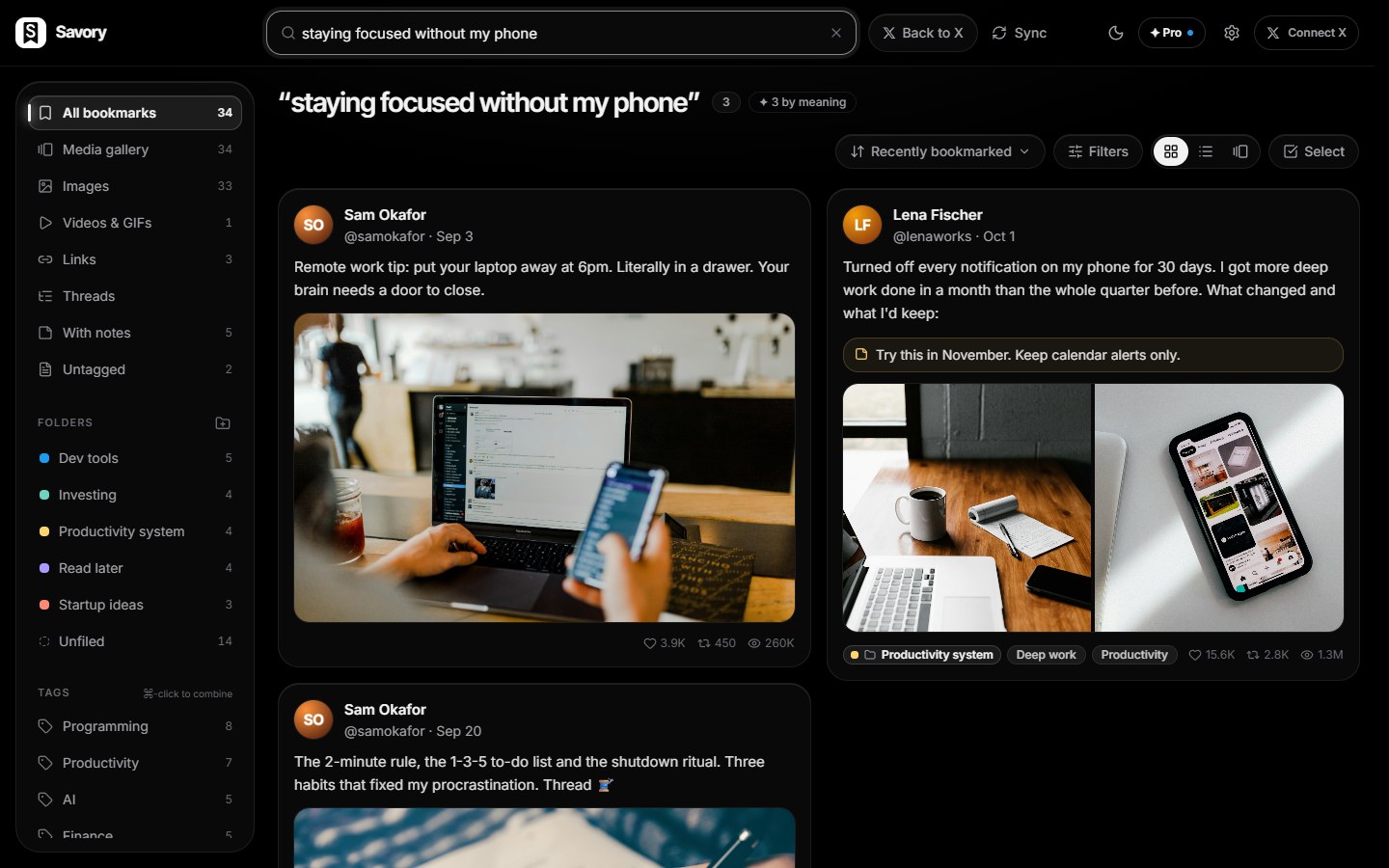
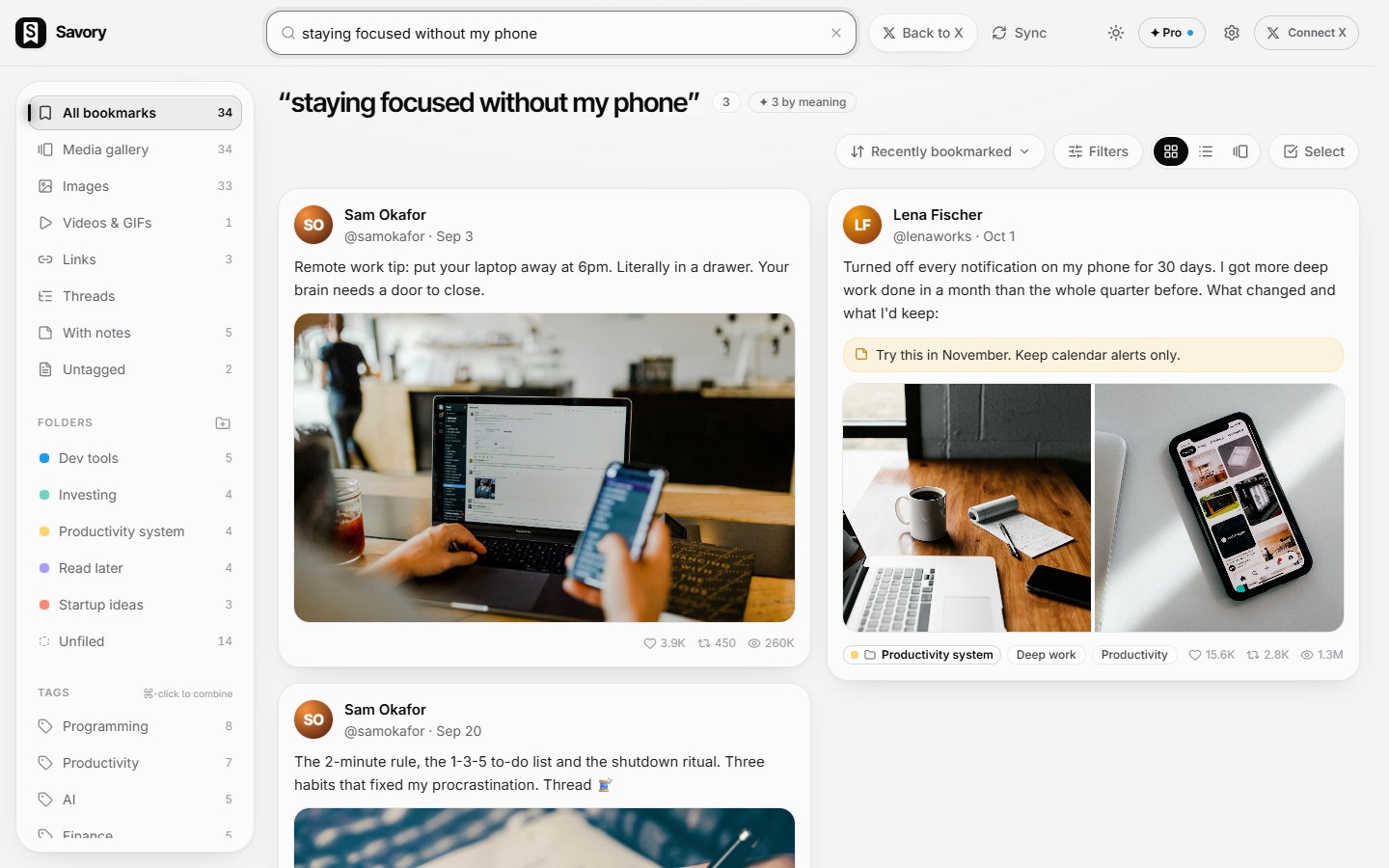
Search by meaning, plus #tags and @accounts
Search “staying focused” and find the deep-work thread that never says those words. It understands 50+ languages and matches across them, and the AI model runs on your device, so nothing is sent anywhere. Combine tags and accounts right in the search box.
Automatic tagging
Topics like AI, Design or Finance, plus formats like Thread and Video. Edit, merge and rename anytime.

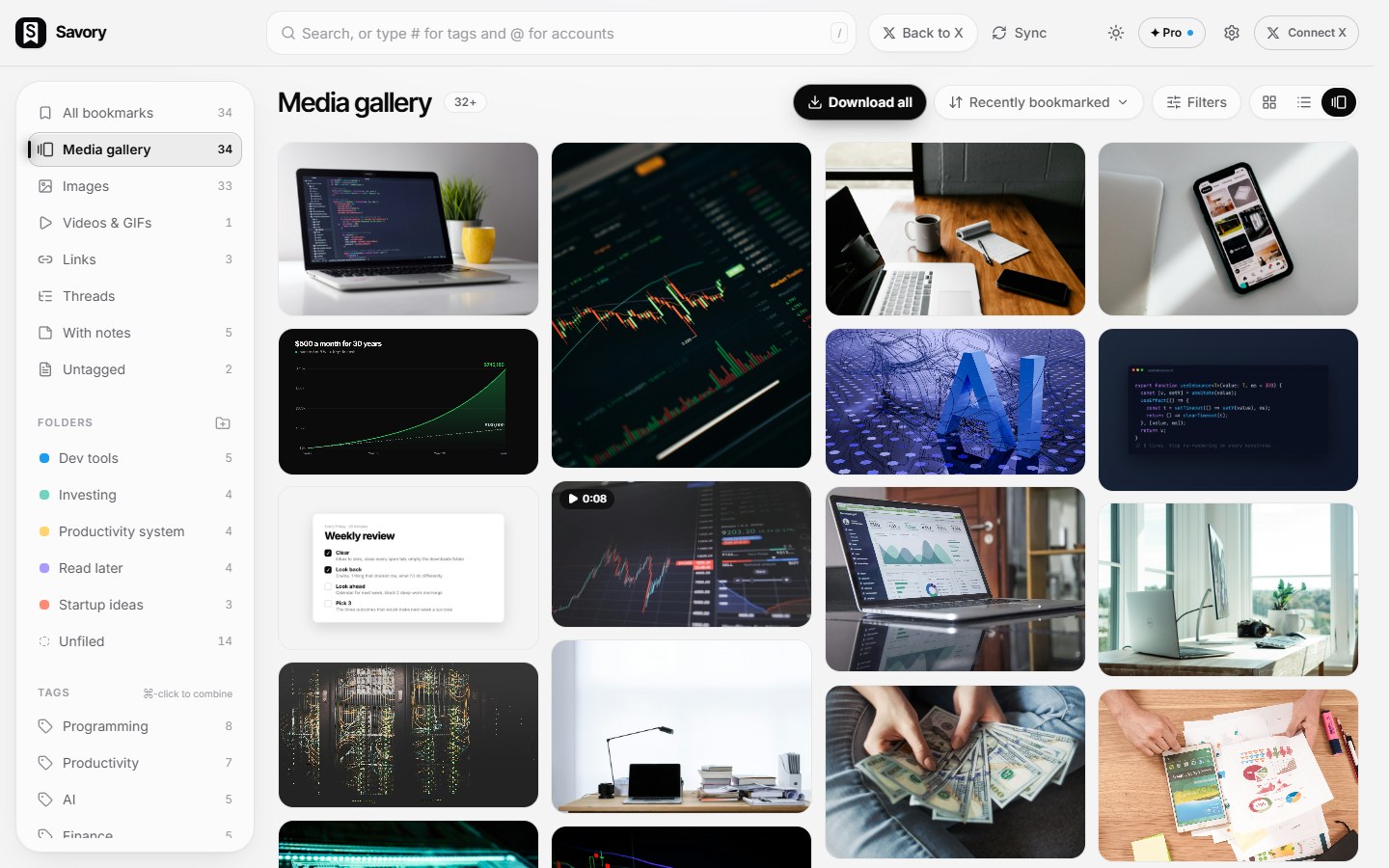
Media gallery & video player
Every image, video and GIF you've saved in one wall. Open any of them full screen, browse with the arrow keys, and watch videos in Savory's own player. Download originals one at a time or all at once.
Live sync
Bookmark on X and it lands in Savory within seconds. Savory also checks when your browser starts, so bookmarks from your phone show up too.
Sort & filter everything
By bookmark date, post date, likes, reposts, views or author. Filter by type, date range, tags and more.
Made for the keyboard
Jump to search, step through bookmarks, control videos and tag posts on X without touching the mouse. On Windows and Linux, ⌘ is Ctrl.
Command palette & press-b tagging
Press Ctrl/⌘+K on x.com or in Savory to search your bookmarks and run actions from the keyboard, with #tag, @account, folder:, has:image and is:deleted filters. On x.com, press b on a post to bookmark and tag it in one go.
Smart folders & Clean up
Describe a folder once and new bookmarks file themselves into it. Clean up finds duplicates; nothing is removed unless you confirm.
Search text inside images
Find screenshots of code, slides and charts by the words in them. Optional and off by default; pictures are read privately on your device.
Export, free
Your whole library as JSON, CSV or Markdown notes in a .zip, threads included. Ready for Obsidian or Logseq.
11 languages
Use Savory in your language, whatever your browser's language: pick it in Settings → Language. The app, the popup and the save panel on x.com all switch.
One click between X and Savory
A Savory link sits right in X's sidebar, and on your bookmarks and history pages a small switch takes you straight into Savory's organized view. "Back to X" brings you home.
Get started in a minute
Nothing to install on your computer, no account to create.
Add Savory to Chrome
One click from the Chrome Web Store. Works in Chrome, Edge, Brave and Arc.
It syncs itself
Your whole bookmark history imports on its own, with no scrolling. After that Savory catches up every time your browser starts.
Save with context
Keep using X. Every new bookmark lands in Savory, with a tag, folder or note if you want.
You've saved thousands of posts. Now you can actually use them.
Made for people who save a lot
“that Postgres scaling thread”
Find the exact repo, thread or tool you saved months ago.
“that index fund thread”
Keep every chart, breakdown and portfolio idea in one Investing folder.
“weekly review template”
Save systems and templates with a note on how you'll actually use them.
“best books this year”
Turn a pile of bookmarks into a personal, searchable knowledge base.
The best way to organize your X bookmarks. Here's why we think so.
A bookmark manager for X should do six things well. Savory does all of them, for free.
Free, with nothing to set up
Everything Savory does today is free. No account, no API keys, and your whole bookmark history imports by itself.
Organized the moment you save
Tags, folders and notes right in X's own bookmark button, plus automatic tags and smart folders that file new bookmarks for you.
Finds what you meant
Search by meaning in 50+ languages, on your device, plus full-text search, # and @ filters and the text inside images.
Keeps what X deletes
When a saved post is deleted or its account goes private, your copy stays, and threads are kept whole.
Brings it back
Reminders and a daily Rediscover turn a pile of saved posts into things you actually read and use.
Private and portable
Your library stays in your browser, with no tracking, and exports to JSON, CSV or Markdown whenever you like.
Private by design
Your bookmarks say a lot about you. They never leave your browser.
Read the privacy policyLives in your browser
Your library is a private database inside the extension. No Savory servers, no account, works offline.
No tracking
No analytics, no telemetry, no ads. Savory only talks to x.com, to read your own bookmarks.
Your session stays yours
Savory never sees your password. It reads bookmarks through your normal x.com session, like the X website does.
Yours to take anywhere
Export everything to JSON, CSV or Markdown at any time and take your library wherever you like.
Frequently asked questions
Something else on your mind? The README covers setup in detail.
Yes. Everything Savory does today is free and stays free: it runs entirely in your browser, so there's no server cost to pass on. A paid Pro plan is coming for features that need a server (AI, sync); join the waitlist below.
Label posts the moment you save them: tags for what a post is about, a folder for what it's for, and a short note for why it matters. On X itself, bookmark folders need Premium and are filled by hand, with no tags or notes. Savory adds all three right in X's bookmark button, for free, tags and files new bookmarks automatically, and lets you search everything by meaning later. The guide “What to look for in an X (Twitter) bookmark manager” has a full checklist.
No. Add Savory to Chrome and you're done. There's no app to install and no server to run.
Yes. Savory imports your entire bookmark history from x.com by itself, without scrolling and without opening a tab. After that it checks for new ones whenever your browser starts and every few hours, including bookmarks you made on your phone.
In a private database inside the extension, on your computer. Nothing is uploaded. Use Export to back up or move to another machine.
Yes. Settings → Export bookmarks downloads your bookmarks as a Markdown .zip, free and in every browser: one note per bookmark with its tags, folder, note and stats as properties, optionally with saved images, ready to drop into your Obsidian or Logseq vault. Live sync into a vault folder, where notes update as you save, tag and edit, is coming with Savory Pro.
They're Savory features layered on top of your X bookmarks. Bookmark a post on X and the Savory panel lets you file it and add a note. X itself stays unchanged.
Yes. The media gallery shows everything you've saved, with a full-screen viewer and a built-in video player. Download original-quality images and the highest-quality MP4 of videos, one at a time or in bulk, straight into a folder you choose.
It stays in Savory. When X shows a bookmarked post as deleted, or its account as suspended or private, Savory marks it with a small badge and the date it noticed, and lists it under “Saved from deletion”. If you choose to, Savory can also keep copies of your bookmarks' images and profile pictures in your browser (videos too), so those posts keep their pictures. It's off unless you turn it on, during setup or in Settings → Deleted-post protection.
Savory keeps the whole thread. When the post you bookmark is part of its author's thread, Savory saves the author's posts in order (with their images and quoted posts) from what x.com already loaded, so you can read it as one piece in the app. Other people's replies aren't saved. If X only loaded part of a long thread, open it on X and scroll through it to capture the rest. And when you bookmark a reply, Savory keeps the post it answers (and up to two more above it) and shows it above your bookmark. You can switch this off in Settings.
Yes. Use “Remind me” on any bookmark (in Savory or right in the save panel on x.com) and pick Tonight, Tomorrow, This weekend, Next week, In a month or your own date and time; Savory brings it back with a notification, or a “Due” badge if you'd rather not allow notifications. Rediscover, at the top of your library, shows a few forgotten bookmarks every day, and a weekly digest is there if you switch it on. All of it is worked out in your browser: nothing is sent anywhere.
Savory comes in 11 languages: English, Spanish, Portuguese (Brazil), French, German, Japanese, Russian, Chinese (Simplified), Hindi, Indonesian and Korean. It follows your browser's language, or pick one yourself in Settings → Language; the app, the popup and the save panel on x.com all switch. And with the multilingual search model (the default unless your browser only uses English), search by meaning understands 50+ languages, so a search in Hindi can also find posts written in English. (This website is in English.)
Yes. Savory sees which X account you're logged in with and keeps a separate library for each one, with that account's avatar at the top right. Switch between them from the account menu; new bookmarks always go to the account you're logged in with, and switching accounts on X syncs the new one right away.
Yes, if you want it to. Turn on “Search text inside images” in Settings and Savory reads the words in your bookmarks' pictures (screenshots of code, slides, charts, memes) right in your browser, a little at a time in the background, so a search finds them too and shows “Found in image”. It downloads a small English language pack once (about 3 MB; you can add others, such as Japanese or Hindi), and no picture or text leaves your computer. Turning it off deletes the language packs.
Search by meaning uses a small AI model that runs entirely in your browser. It's optional: during setup you choose whether to download it (once, from Hugging Face: about 130 MB for the multilingual model, which understands 50+ languages and finds posts across them, or 34 MB for English only), and your bookmarks never leave your computer. Turn it on or off, or switch models, any time in Settings; turning it off deletes the model.
Chrome, Edge, Brave, Arc, Opera and other Chromium-based browsers, plus Firefox (version 140 or newer) on the desktop once it's listed on Firefox Add-ons.
No. Savory is an independent tool and isn't endorsed by or affiliated with X Corp.
✦ Savory Pro
Everything on this page stays free, including search by meaning, text inside images, reminders and Rediscover. Pro will add asking questions about your bookmarks, AI summaries, sync, Notion, Obsidian & Readwise (including live sync to your vault), exports to PDF and Word, and more. Markdown export stays free. Tell us what you'd pay for and we'll build that first. Waitlist members get the launch price for life.
Stop losing what you save.
Turn your X bookmarks into a library you can actually use. Free, private, ready in a minute. Now on the Chrome Web Store.